Authentication Tutorial
To obtain an access token, you must authenticate via OAuth 2.0 implicit authentication.
The official specs may seem intimidating, but the process is straightforward:
1. You send your user to a URL on our server, passing us your client ID.
https://oauth.groupme.com/oauth/authorize?client_id=CLIENT_ID
Don't have a client ID? You can get one here: Create Application
2. Your user will be asked to log in and authorize your application.
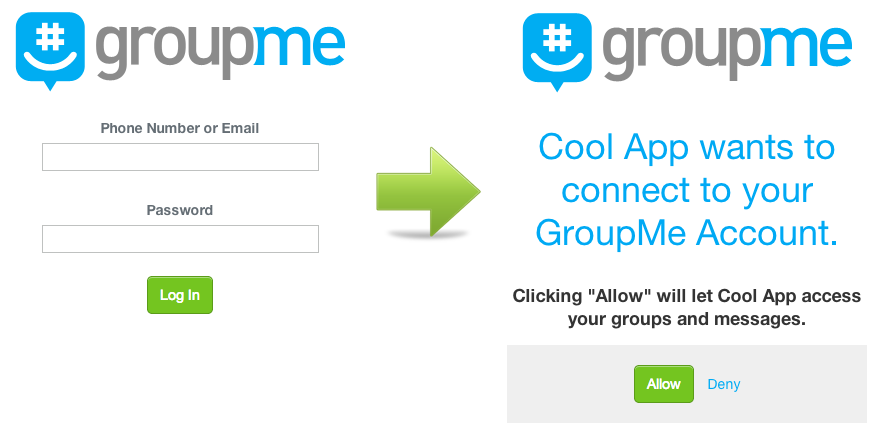
3. We will redirect them to the callback URL you registered when you set up your client ID.
https://YOUR_CALLBACK_URL/?access_token=ACCESS_TOKEN
Your callback URL must use HTTPS.
Using the Access Token
Always send your access token in the X-Access-Token header.
Never put it in the URL query string, where it can be captured in server logs, proxy logs, and browser history.
GET /v3/groups HTTP/1.1
User-Agent: CoolApp/2.0
Host: api.groupme.com
Accept: */*
X-Access-Token: ACCESS_TOKEN
Questions? Check out our Public GroupMe API Development Chat.